Mhatzmihim
Rapid Voice Prototyping
Mhatzmihim is a 24-hour rapid prototyping sprint in which product designer Itamar Katan designed, tested and handed off a voice interaction feature built around an animated character.
In the fast-paced world of digital product development, sometimes you need to move quickly to validate a core concept.
Overview & The Challenge
This project was a focused, 24-hour rapid prototyping sprint designed specifically to explore, test, and refine a new voice interaction feature before handing it off for development.
Our primary goal was to validate the viability and user experience of a voice-first interface within an incredibly tight 24-hour window. We needed to design a functional prototype, test it to identify friction points, iterate on those findings, and package the final assets for the development team—all without losing momentum or sacrificing quality.
The Design Process
Because of the strict deadline, the design process had to be lean, agile, and highly focused. We bypassed lengthy exploratory phases and jumped straight into action:
- Flow Mapping: We started by mapping the critical user journeys—how a user would initiate, interact with, and conclude a voice session.
- Rapid Prototyping: We built a high-fidelity prototype that simulated the voice experience to gather immediate, actionable feedback.
- Testing & Iteration: We conducted quick testing sessions with the prototype. Based on these insights, we immediately improved the interaction models, tweaking visual cues and user flows to make the experience feel much more intuitive and natural.
- Dev Handoff: Once the experience was refined and validated, we prepared a comprehensive package and sent it straight to the development team for implementation.
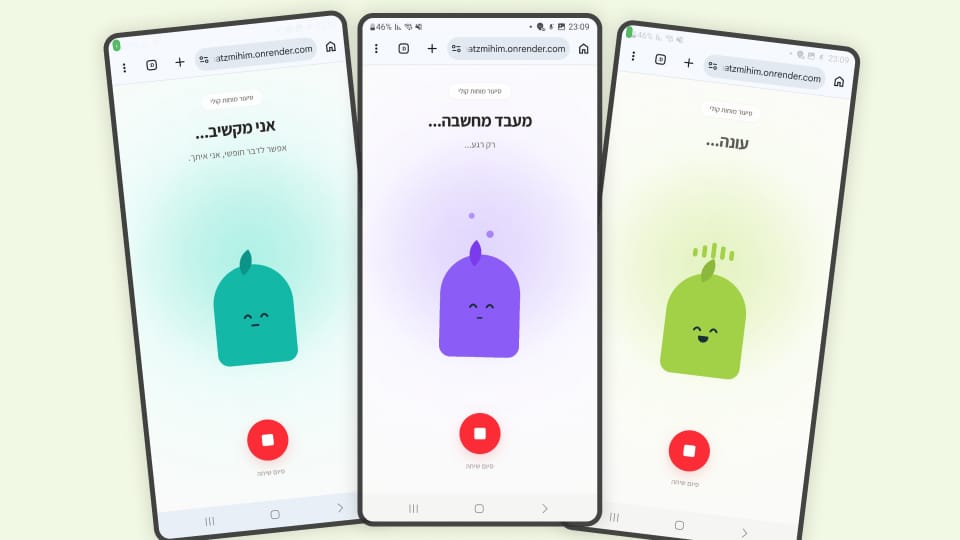
Character Design & Interaction States
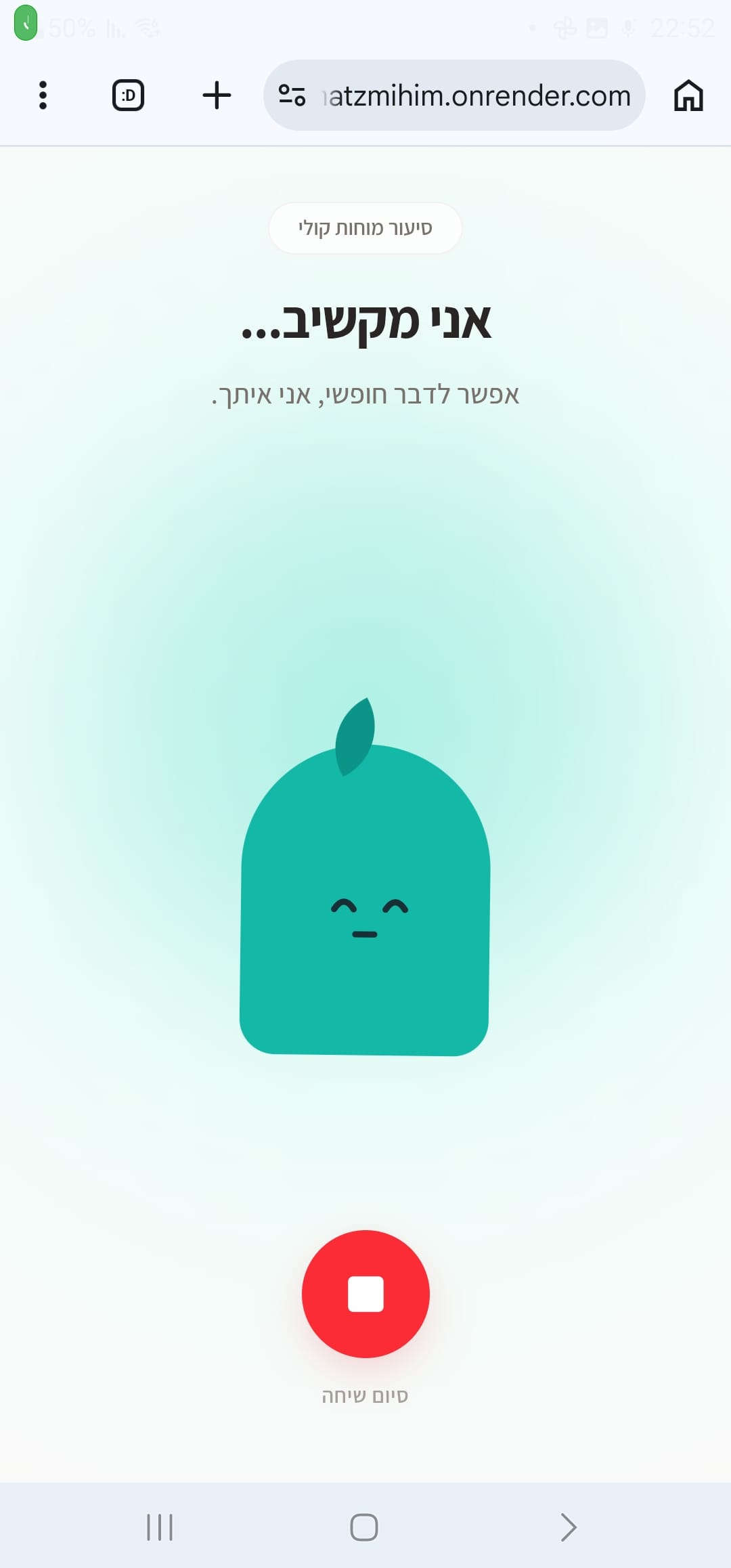
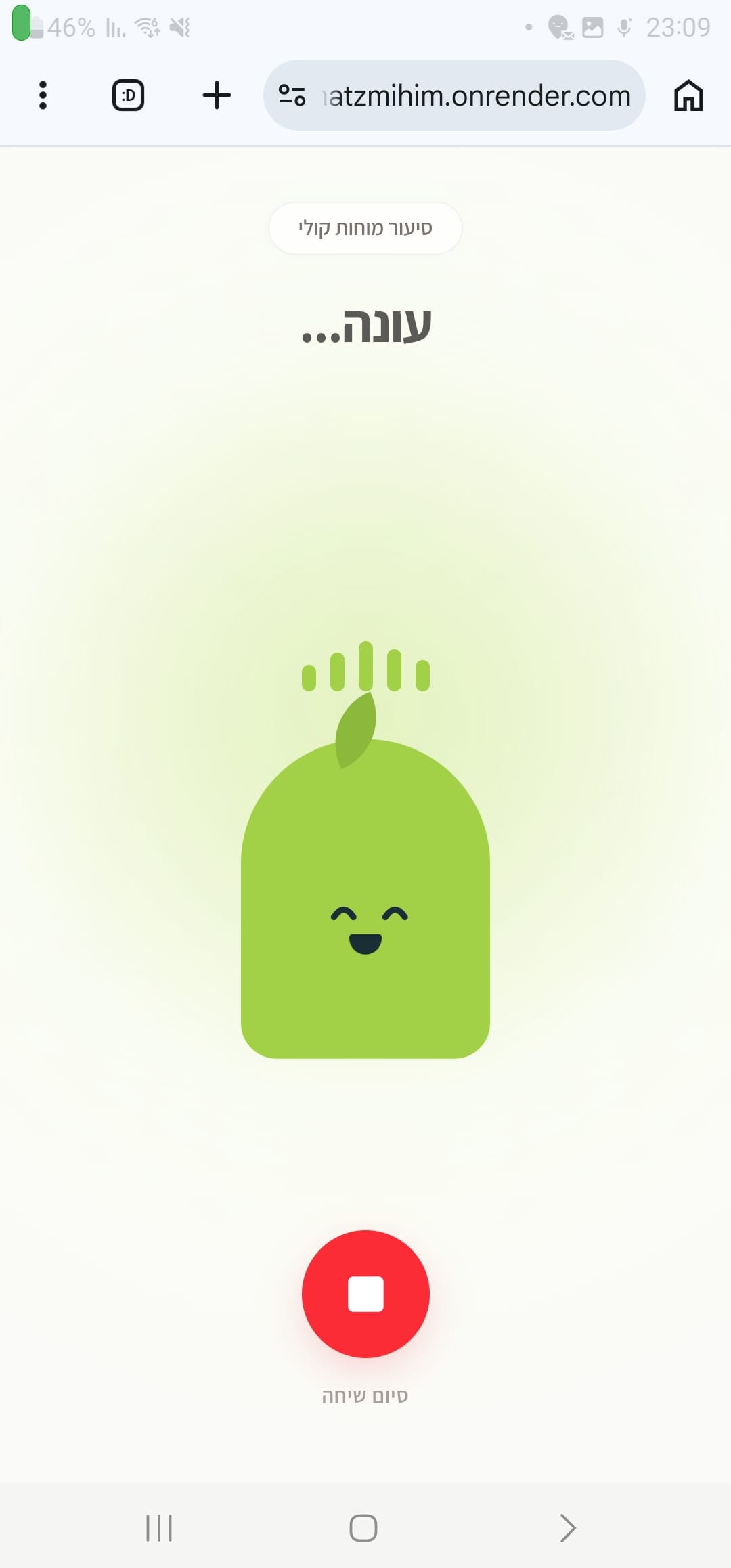
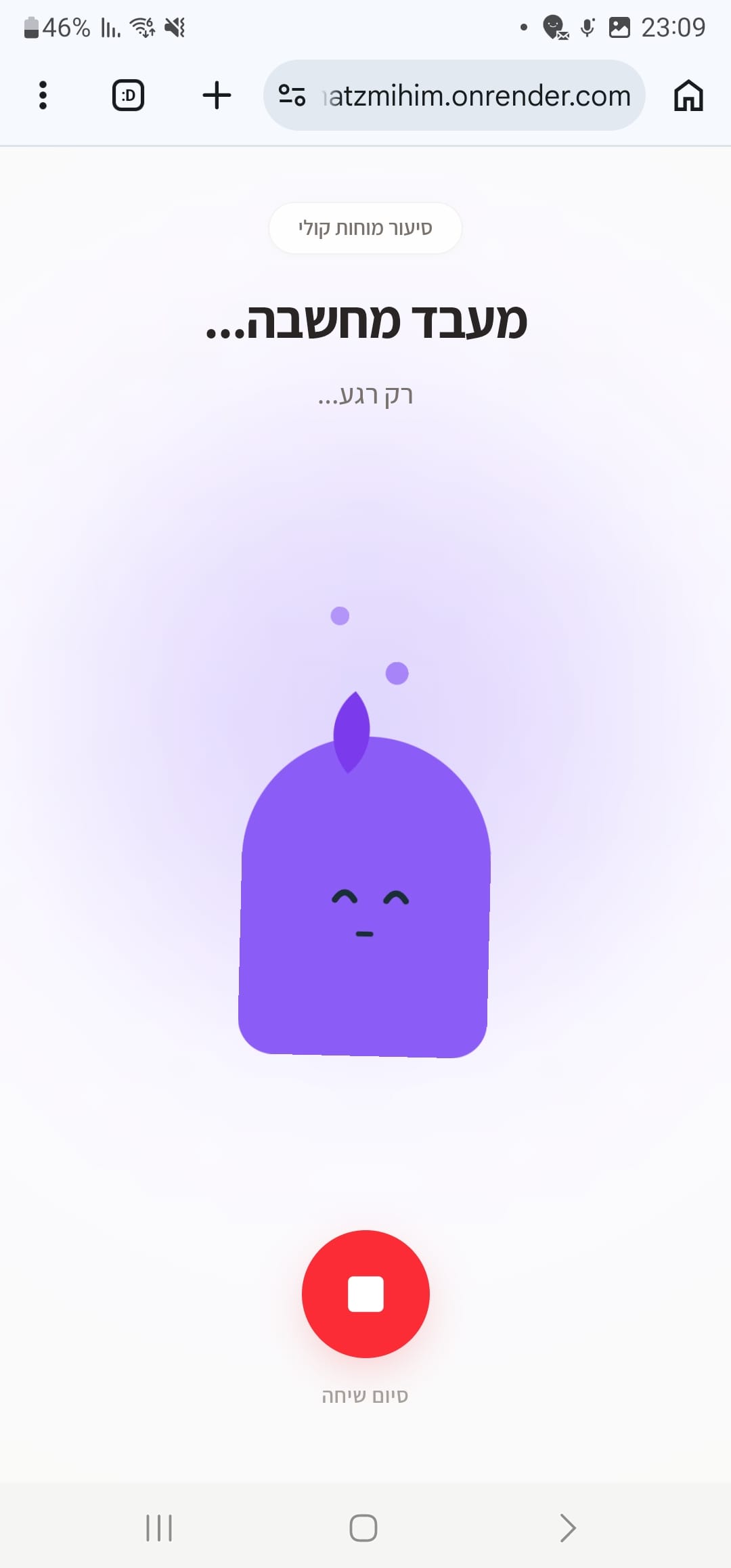
A key component of making this voice feature successful was giving it an engaging, relatable presence. We developed a unique character to serve as the visual anchor for the voice interaction. To ensure the interaction felt alive, responsive, and conversational, we designed multiple distinct states for the character:
Listening (Idle)
A welcoming, attentive state that clearly indicates the system is ready for the user's input.
Processing (Thinking)
A dynamic visual cue that provides immediate feedback while the system processes the voice command, preventing user frustration.
Speaking (Responding)
An active, animated state that visually syncs with the audio output to create a seamless conversational feel.
Error (Misunderstanding)
A friendly, non-intimidating state that gently prompts the user to repeat or clarify their request if something goes wrong.
Maintaining Brand Identity
Despite the rapid pace of the sprint and the introduction of a brand-new character and interaction model, it was critical that this new feature felt like a natural extension of our existing ecosystem. We meticulously applied our core branding elements throughout the design. By strictly adhering to our established color palettes, typography, and overall visual styling, we ensured that the new character and interface felt fresh and engaging, yet unmistakably on-brand.
Conclusion
This 24-hour sprint proved that with a highly focused objective and a lean design process, it is possible to rapidly prototype, test, and deliver complex interactions like voice. By centering the experience around a well-designed, brand-aligned character with clear interactive states, we were able to hand off a polished, validated concept to our developers in record time.
Mhatzmihim, clearly.
What is the Mhatzmihim project?
A focused 24-hour sprint to explore, test and refine a new voice interaction feature before handing it to development.
How did the 24-hour process work?
Four steps: map the key user journeys, build a high-fidelity prototype, test it and improve the interaction, then prepare a full package for the developers.
Why use a character for a voice feature?
A character gives the voice a relatable presence and a clear visual anchor, so the interaction feels alive and conversational.
Which states does the character have?
Four: listening (ready for input), processing (thinking), speaking (synced with the audio) and error (a friendly prompt to repeat).
How did the feature stay on brand?
By sticking to the existing color palettes, typography and visual style, so the new character felt fresh but clearly part of the product.